How can I tell whether a Bill Pay payment will be sent electronically or by check?
Consumer member
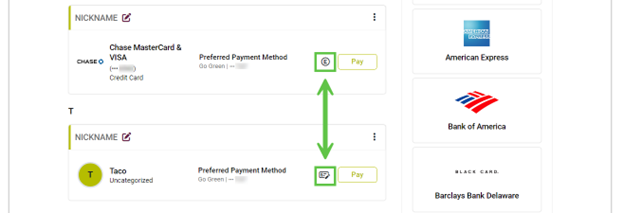
In Manage Billers, a symbol beside each Biller indicates how the payment will be delivered. The process for setting up a check payment is the same as an electronic payment.
- An E symbol means the Biller accepts electronic payments. The funds will be debited from your account on the Send Date if scheduled before 4:00 pm EST.
- A Check symbol beside the Biller’s name indicates this payment will be made by check.
Business member
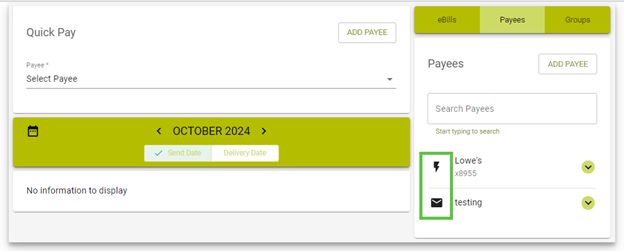
In the Payees section, you will find a symbol beside each Payee indicating how the payment will be delivered. The process for setting up a check payment is the same as an electronic payment.
- A Lightning Bolt symbol means the Payee accepts electronic payments. The funds will be debited from your account on the Send Date if scheduled before 4:00 pm EST.
- An envelope symbol beside the Payee’s name indicates this payment will be made by check.