External Transfer Upgrade
External Transfer has been upgraded!
At Jovia, we’re always on a mission to provide a brighter banking experience for our members, like you! That’s why, we've upgraded External Transfer within Online and Mobile Banking.
What is External Transfer?
External Transfer, located in Online and Mobile Banking, makes it easy and convenient to transfer funds online between various financial institutions without visiting a branch or writing a check.
External Transfer is a free service that allows you to set up automatically recurring transfers to plan for payment needs in advance.
What's changed with the upgrade
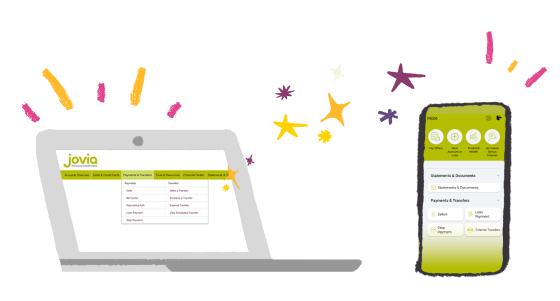
Easy-to-use interface: Enjoy a consistent experience across online and mobile banking. That’s right, you will be able to perform external transfers in Jovia’s Mobile Banking App.
Now available on mobile: External Transfer is available in the mobile app.
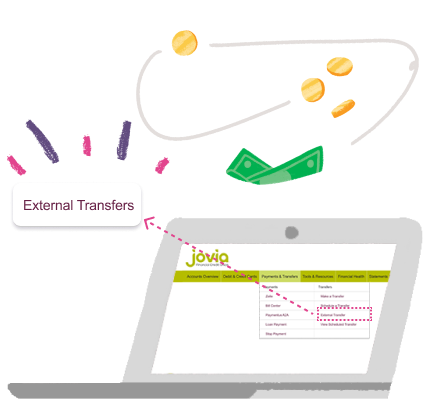
External transfer is a convenient service available to all members that enables account to account transfers through Jovia’s Online and Mobile Banking platform. All internal accounts are automatically enabled for this feature, while external accounts require verification. You can easily make manual one-time transfers or set up recurring transfers tailored to your preferred frequency, up to one year in the future. Please note that international transfers are not supported at this time.
At this time, you can add the following accounts to externally transfer funds:
Checking and Savings account held at any commercial bank or credit union nationwide that are able to accept ACH transfers. (Please note, you must be a tax owner/joint owner on the account you are transferring to/from.)
- Select a source account.
- Select a destination account.
- Enter an amount to send.
- Select a date to send the money on.
- Turn on Auto Transfer, select the frequency and the duration.
- Select the checkbox to authorize the transfer and click submit.