

What happens if the biller says they did not receive my Bill Pay payment?
First, validate that the account number and/or address you have for that biller is correct by reviewing your most recent billing statement. For electronic payments you can submit a research request. For check payments, a stop payment would need to be placed on the check.
Consumer member
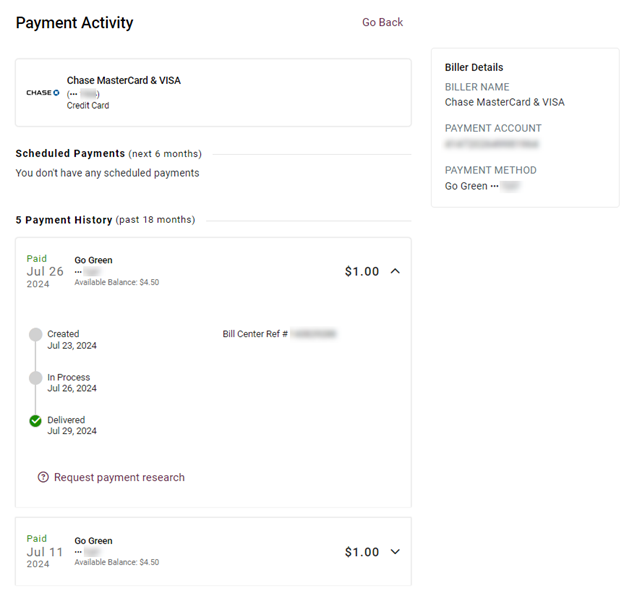
- Once in Bill Pay, click on the three dots and select view activity for the payment in question.
- On the payment you are reviewing, select the down arrow on the payment in question.
- On the bottom of the payment information, click on Request payment research.
- Select the radio button for the applicable research reason and complete the information requested.
- Click Next.
- Review the request and select Submit request
Business member
- Once in Bill Pay, click on the three dots and select view activity for the payment in question.
- On the payment you are reviewing, select the down arrow on the payment in question.
- On the bottom of the payment information, click on Request payment research.
- Select the radio button for the applicable research reason and complete the information requested.
- Click Next.
- Review the request and select Submit request.