How do I add an external account to perform an external transfer?
- Log into online or mobile banking.
- Navigate to the Payments & Transfers menu options and click External Transfer.
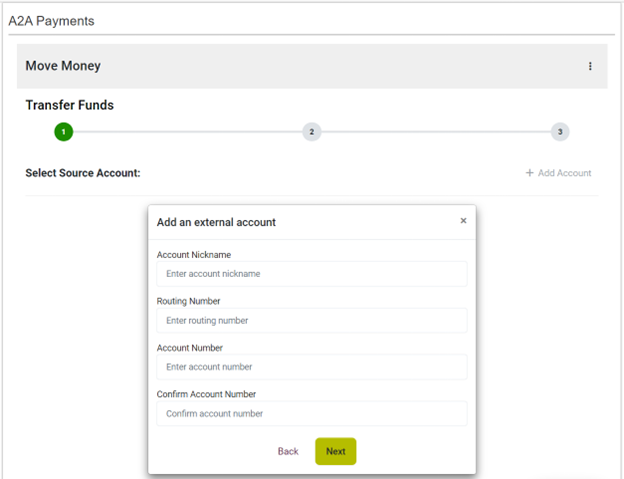
- Next, under Select Source Account, click Add Account.
- Select Checking or Savings.
- Enter all information required under the Add an external account field.
- Click Submit and close.